Marketing Budgets,
Minus the Spreadsheet Chaos
Marketing budgeting software built for companies with multiple brands and regions.
Plan with the team, automate the spend tracking, and connect to your entire marketing stack.
Trusted by multi-brand & multi-region companies:


How it works
Plan, track and explain every marketing dollar
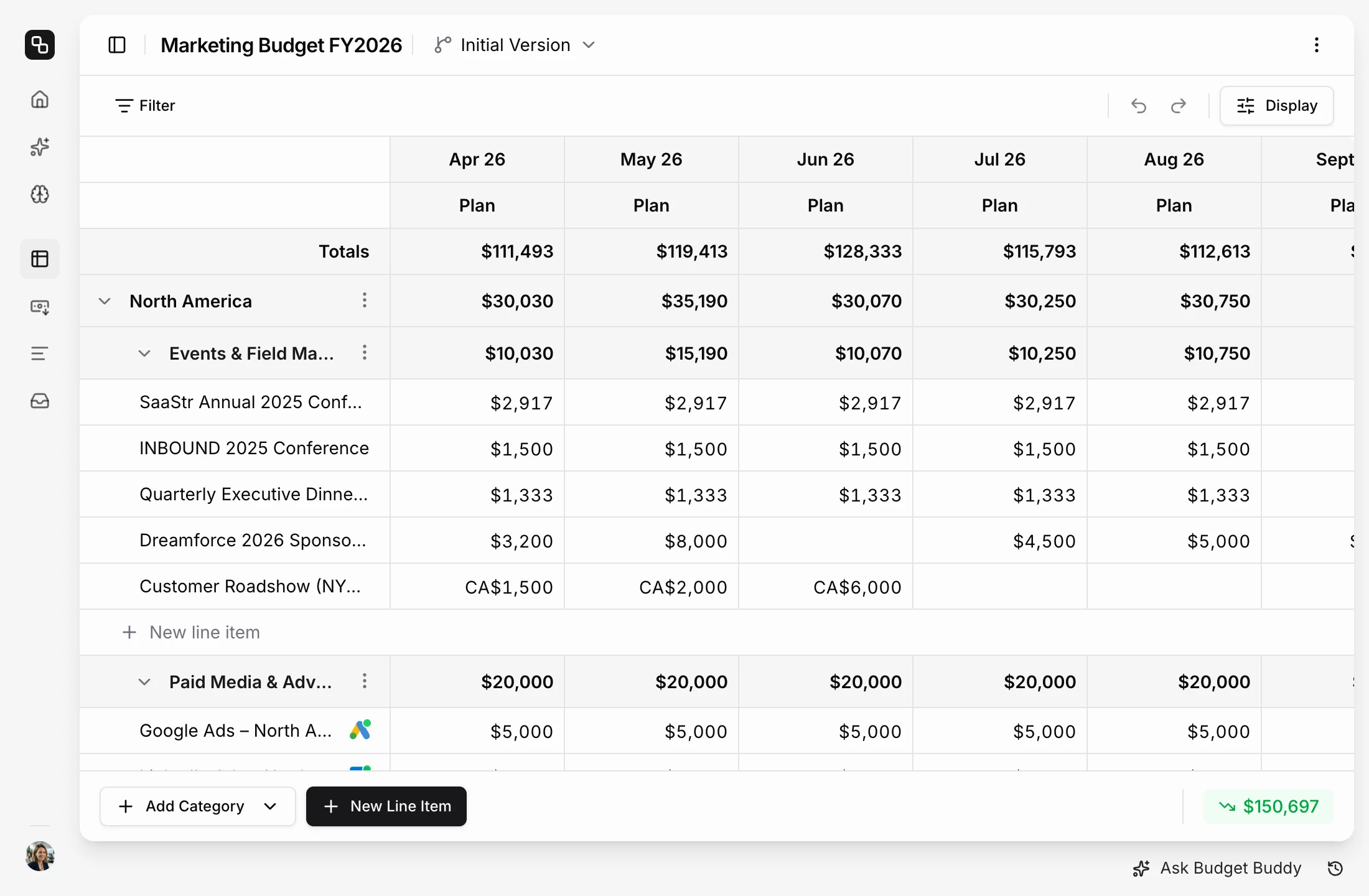
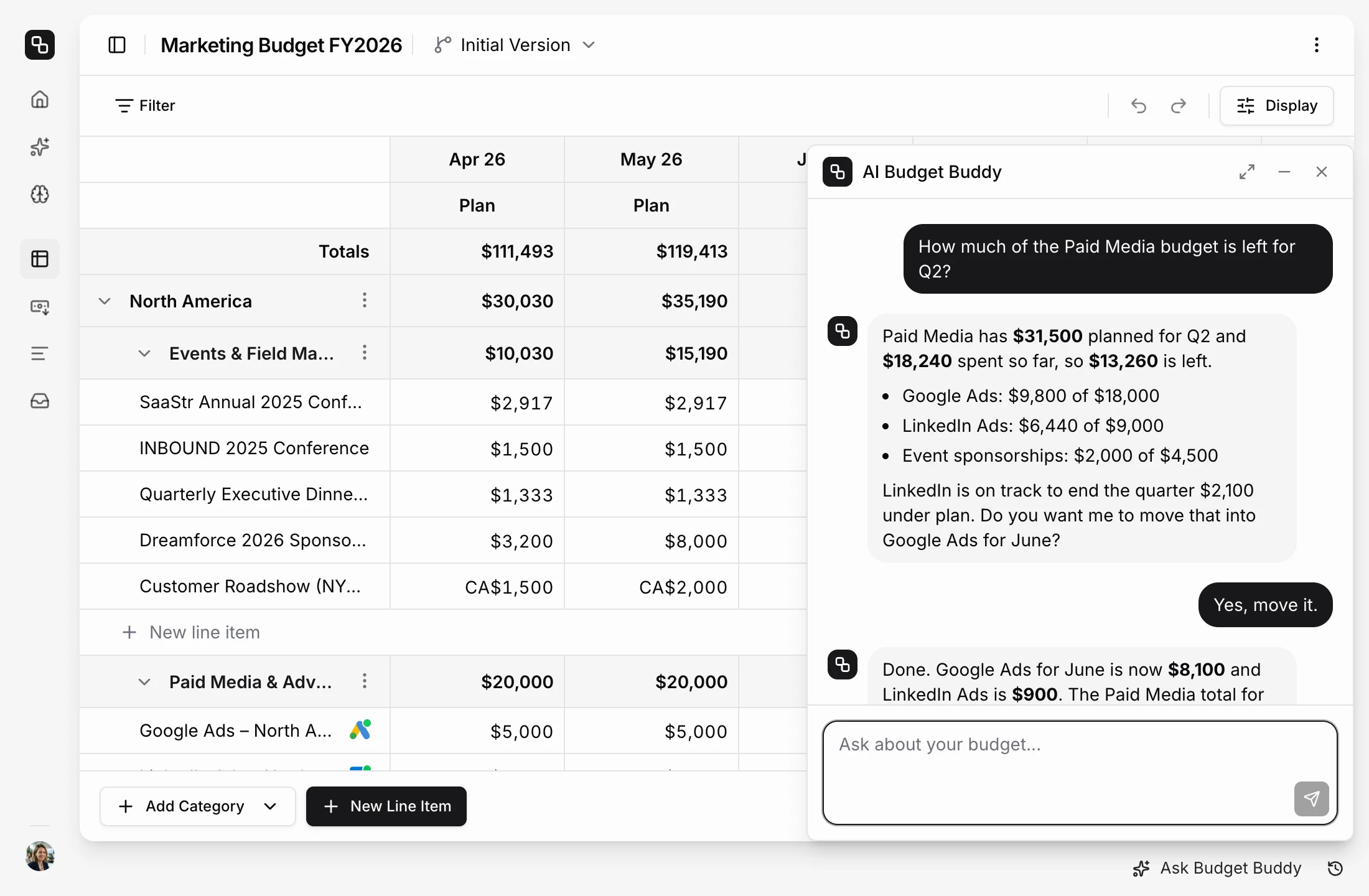
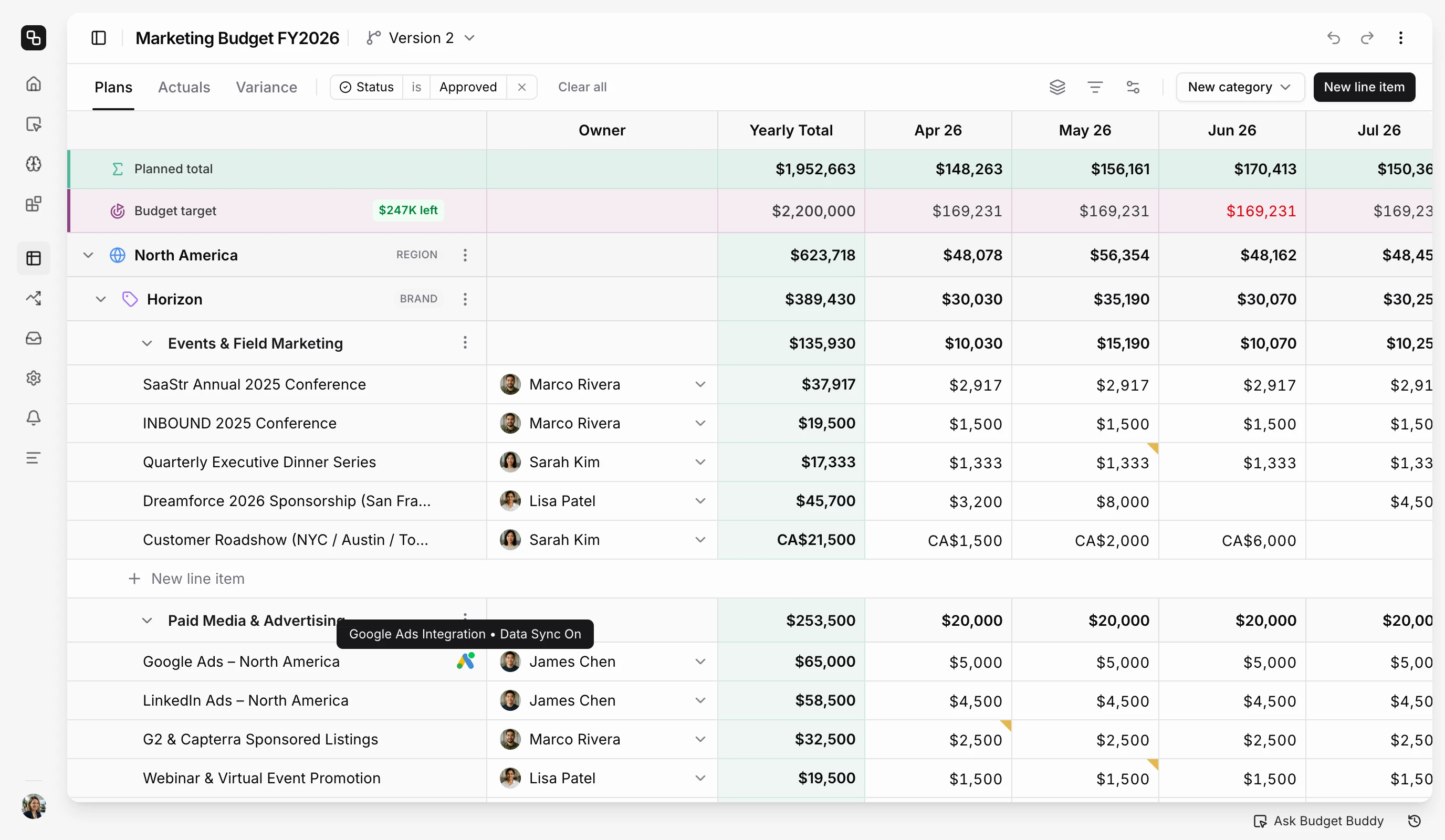
Owners, categories, monthly amounts and a currency for every line item in one grid. Change one number and every total updates in your default currency.
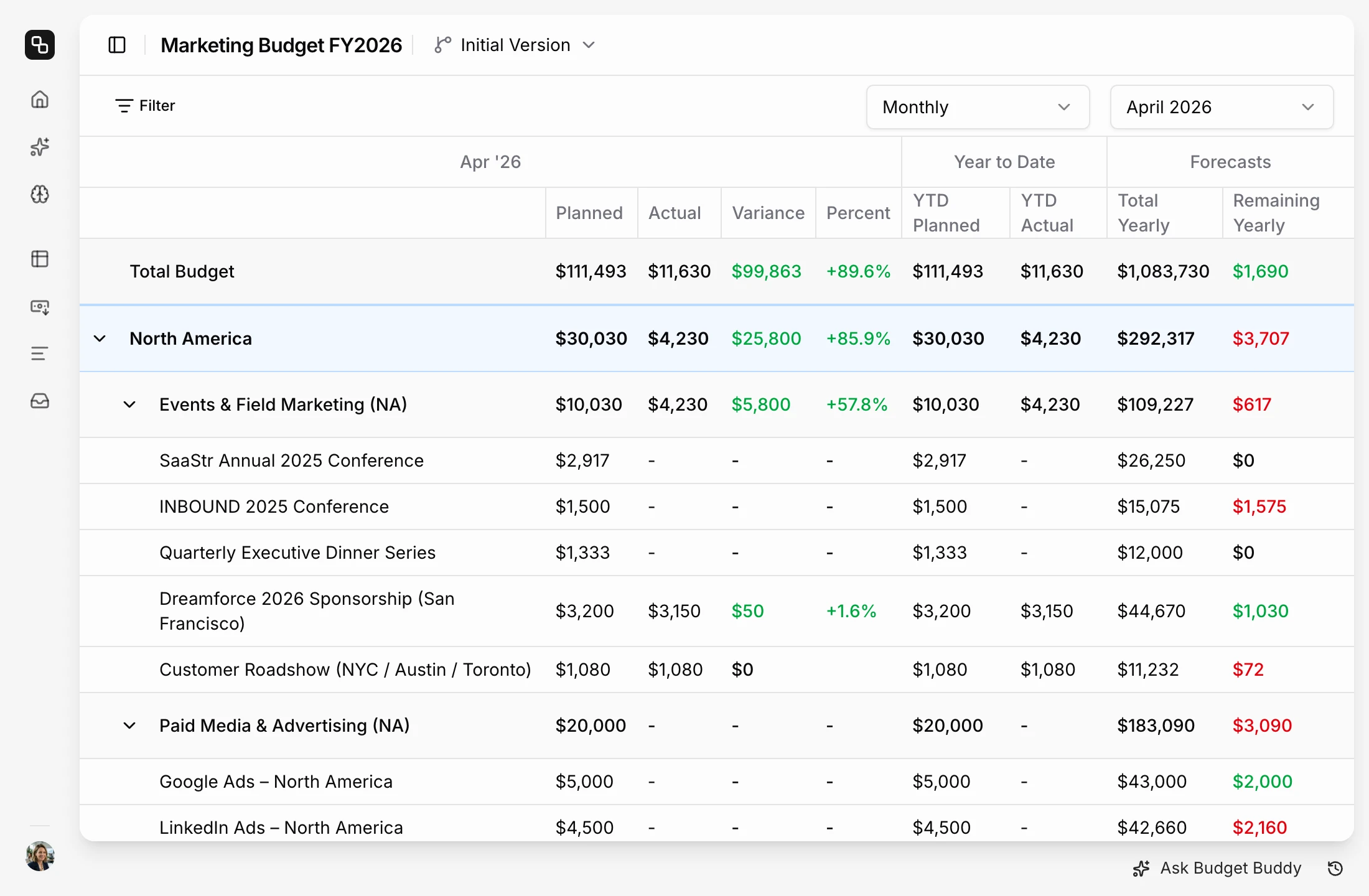
Learn morePlanned, actual, variance and forecast for each line item, side by side. The numbers come from your invoices, ad accounts, and teammates. No need to wait for finance.
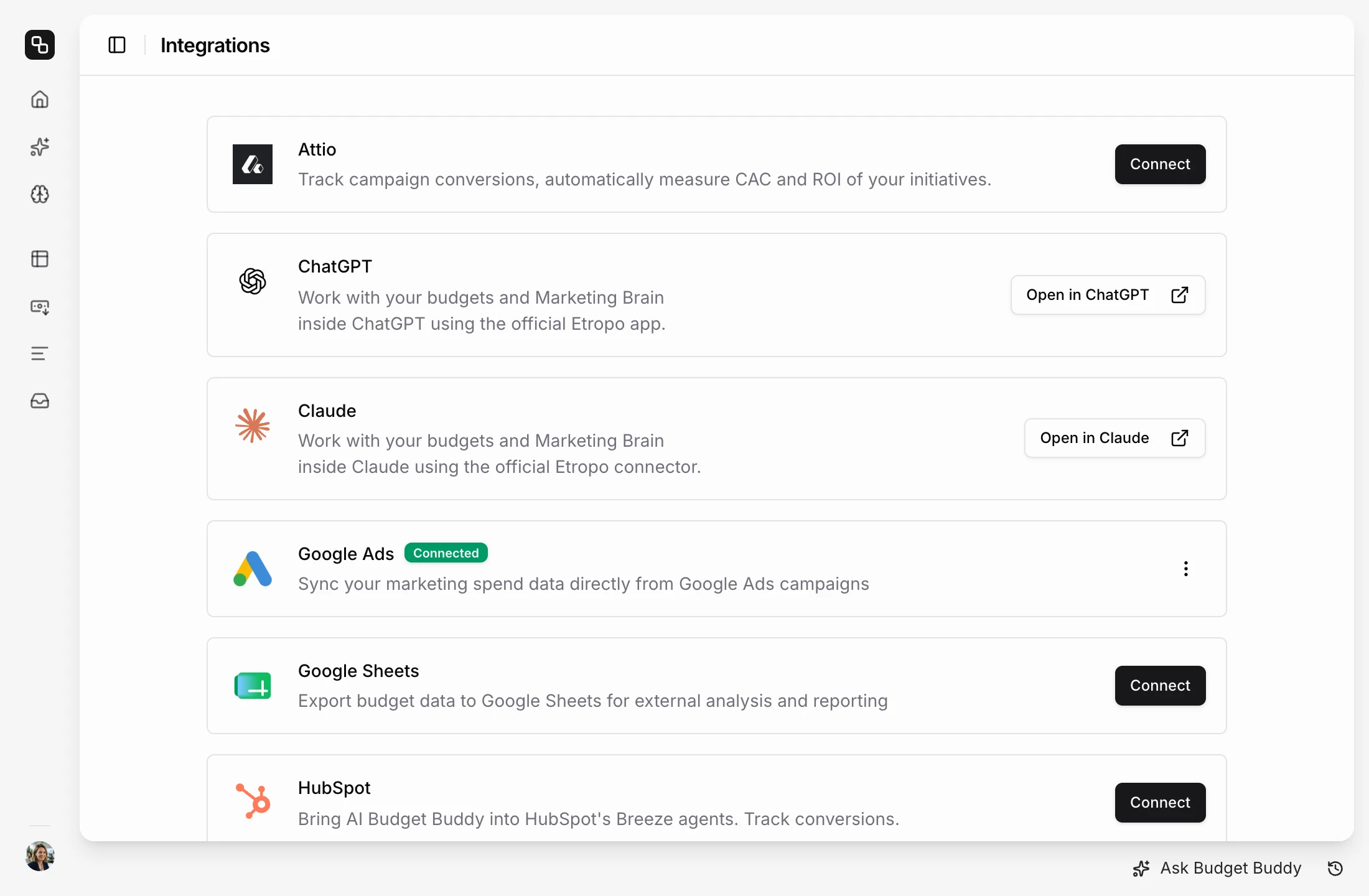
Learn moreGoogle Ads, LinkedIn, Meta and TikTok send their spend to the budget. Google Sheets shares the plan with finance. HubSpot and Attio add conversions and revenue.
See all integrationsAsk a question about spend or variance in plain English. The answer comes with the line items behind it. Ask for a change and Budget Buddy makes it in the budget.
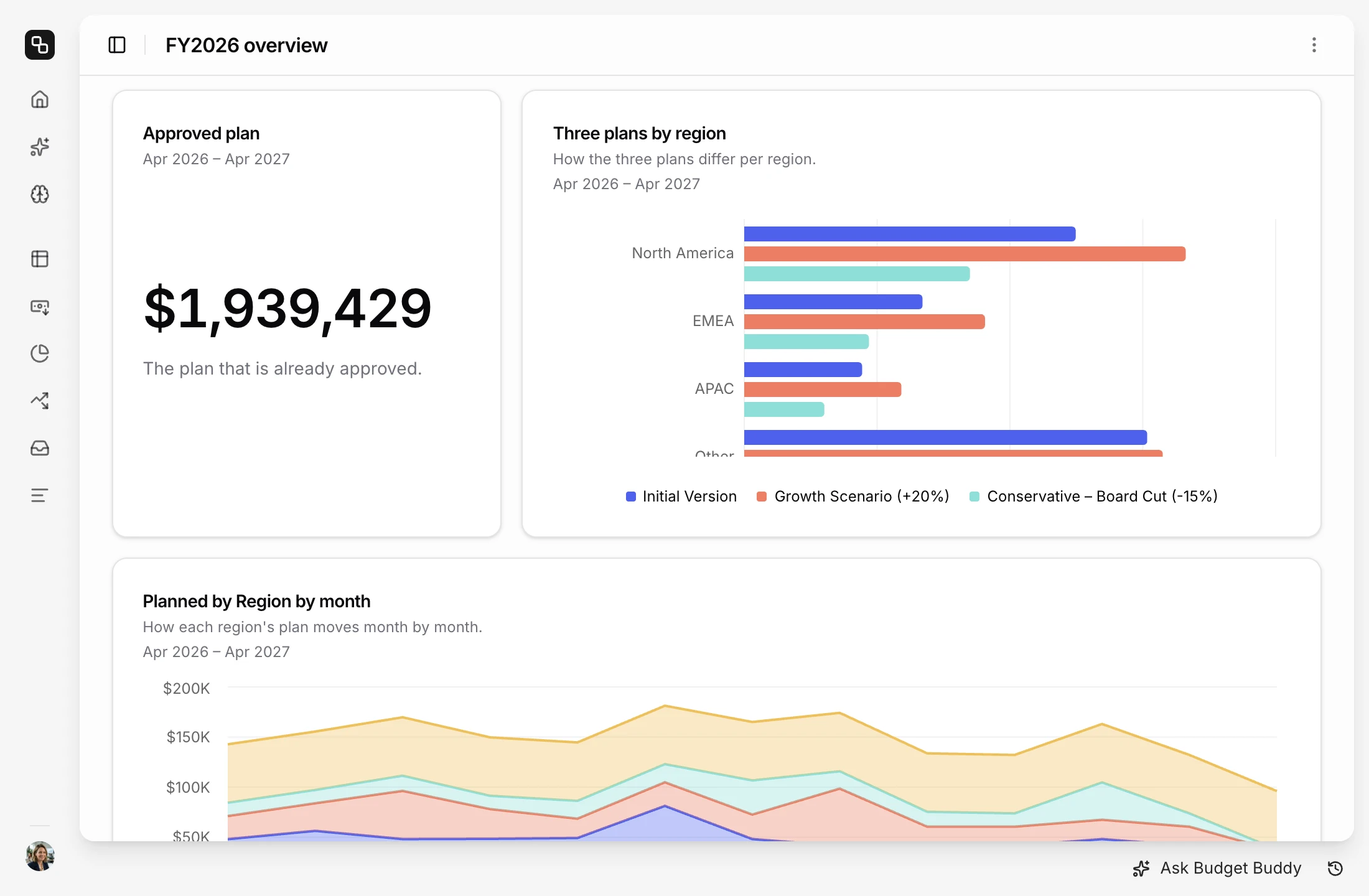
Learn moreMarketing budget dashboards that fit your needs. Ask Budget Buddy for the charts, tables and numbers you want to see, and change them whenever you need.
Learn more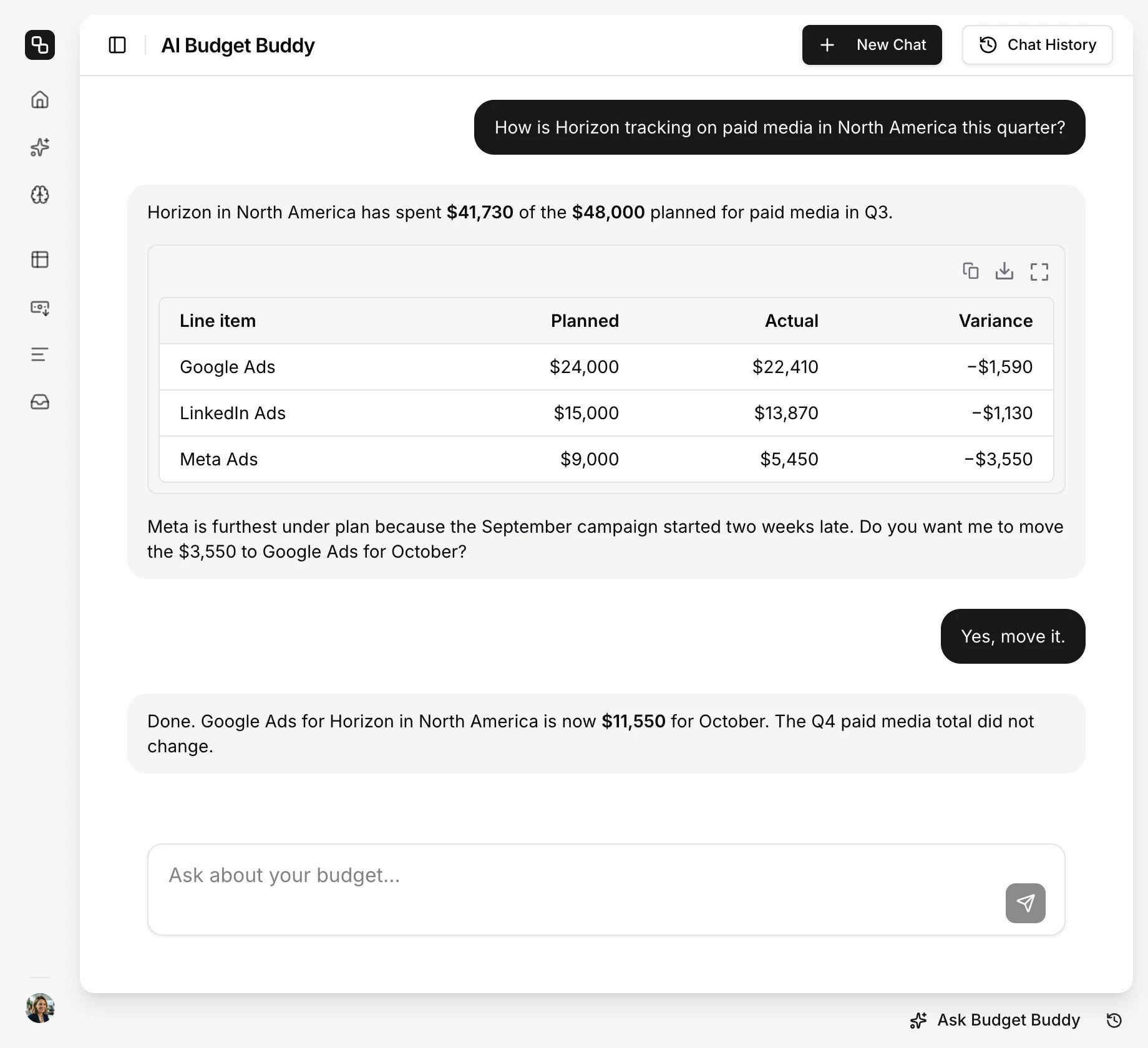
Setup & Onboarding
Start in minutes. Literally.
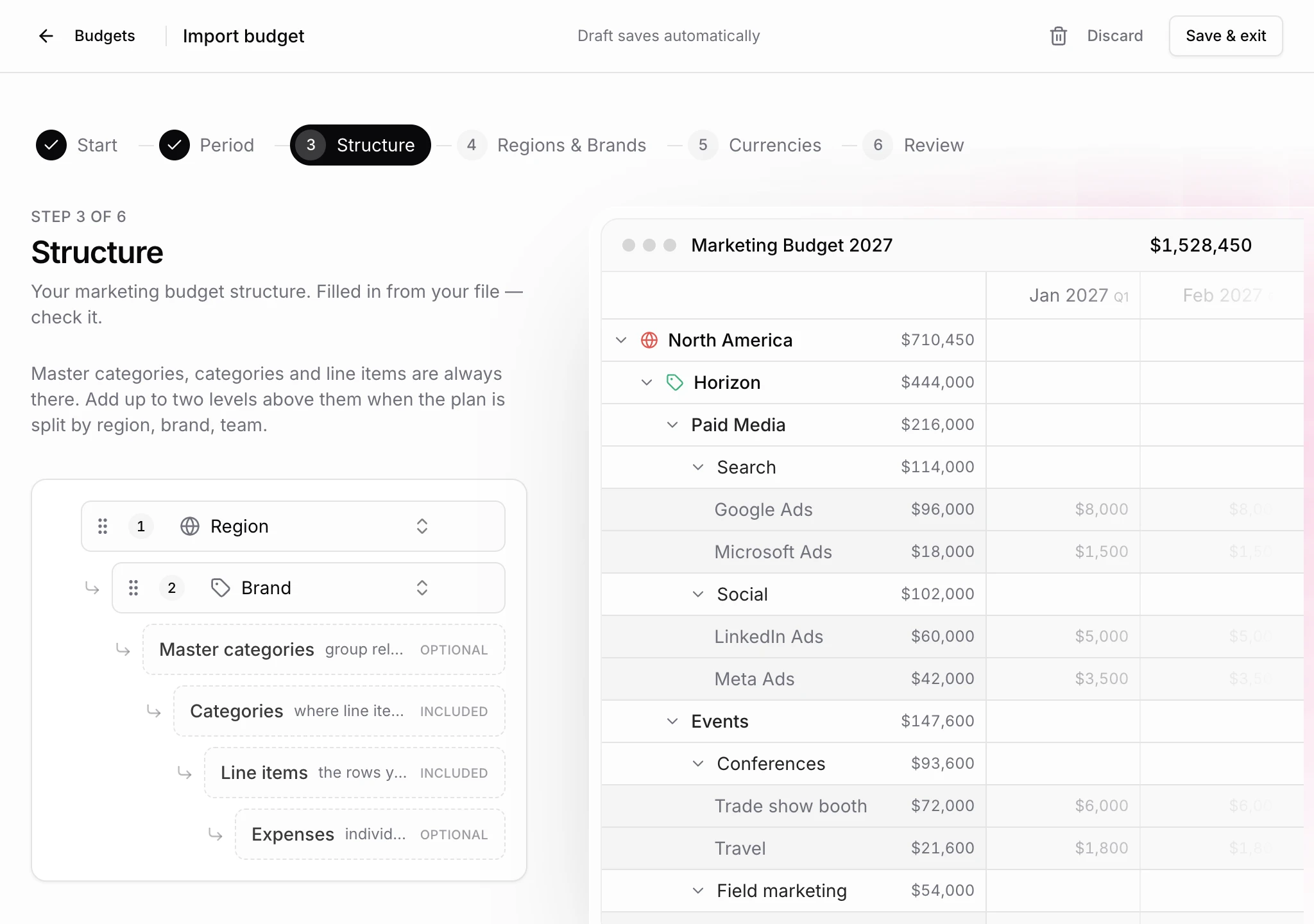
Upload your spreadsheet and the budget creator pre-fills the period, regions, brands and line items for you to confirm. No budget yet? Start from scratch, demo data or AI benchmarks for your industry.
“Before Etropo, someone on my team was spending a significant chunk of their time just chasing budget actuals. That's gone now. We've saved several days a quarter — and I actually know where our budget stands in real time.”
Abby Hehemann
Marketing Director at GetResponse
Marketing Budgeting Software
One budget for the whole team
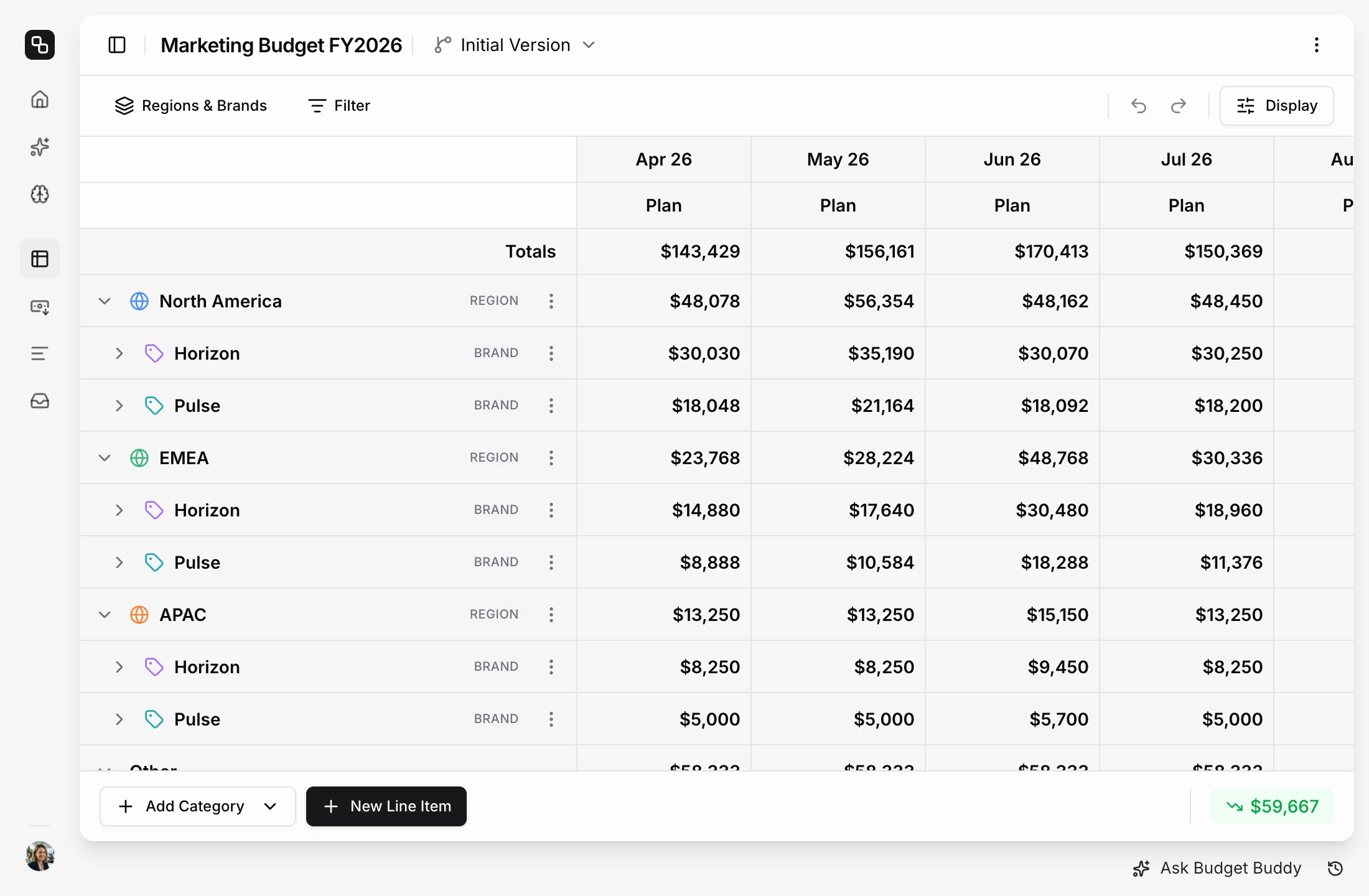
Add up to two levels above your categories, such as region and brand. Each region and brand gets its own section, with its own totals and access.
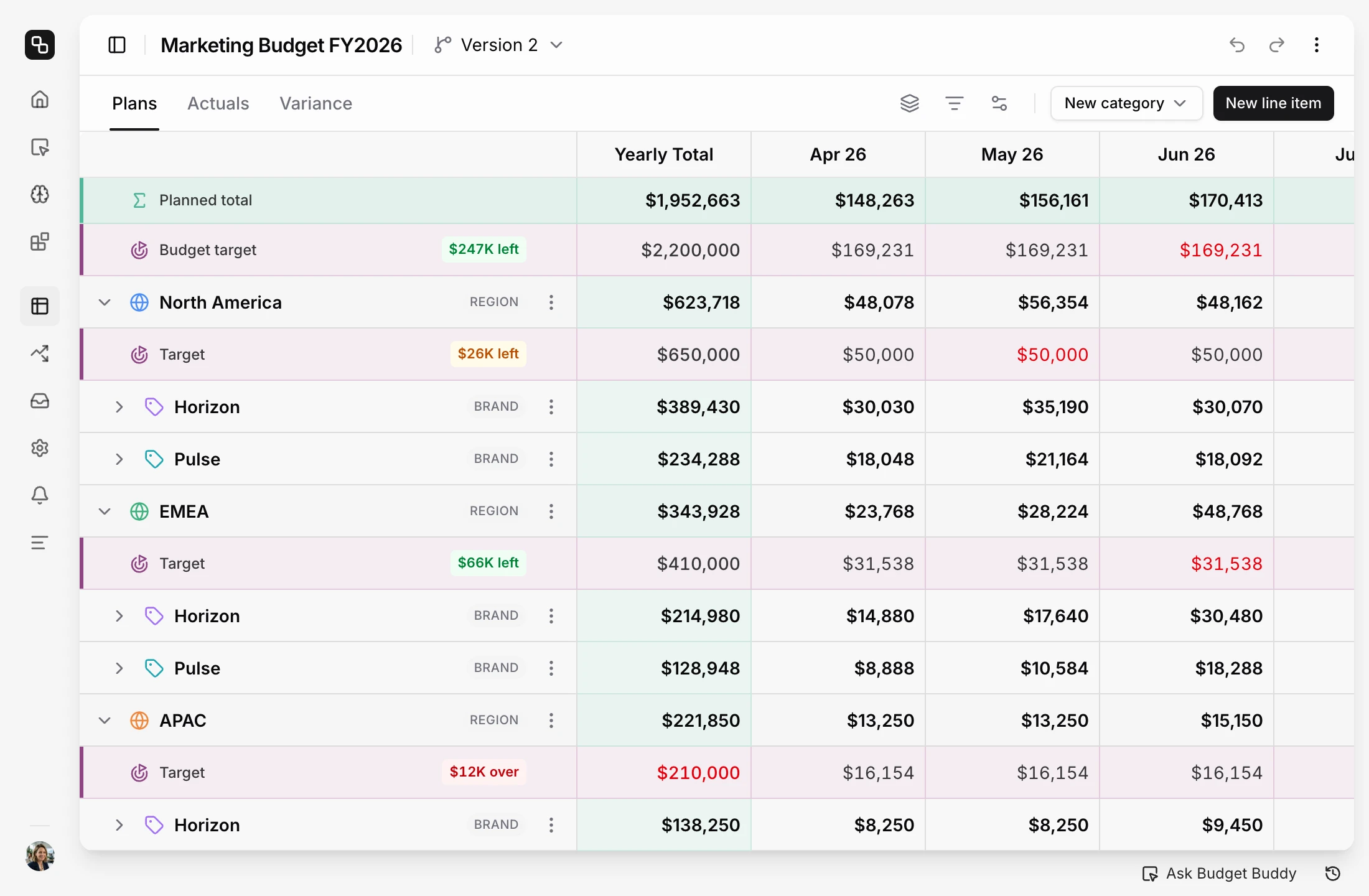
Learn moreGive the whole budget a target, and each region or brand its own. While you plan, the editor shows how much of every target is left, month by month.
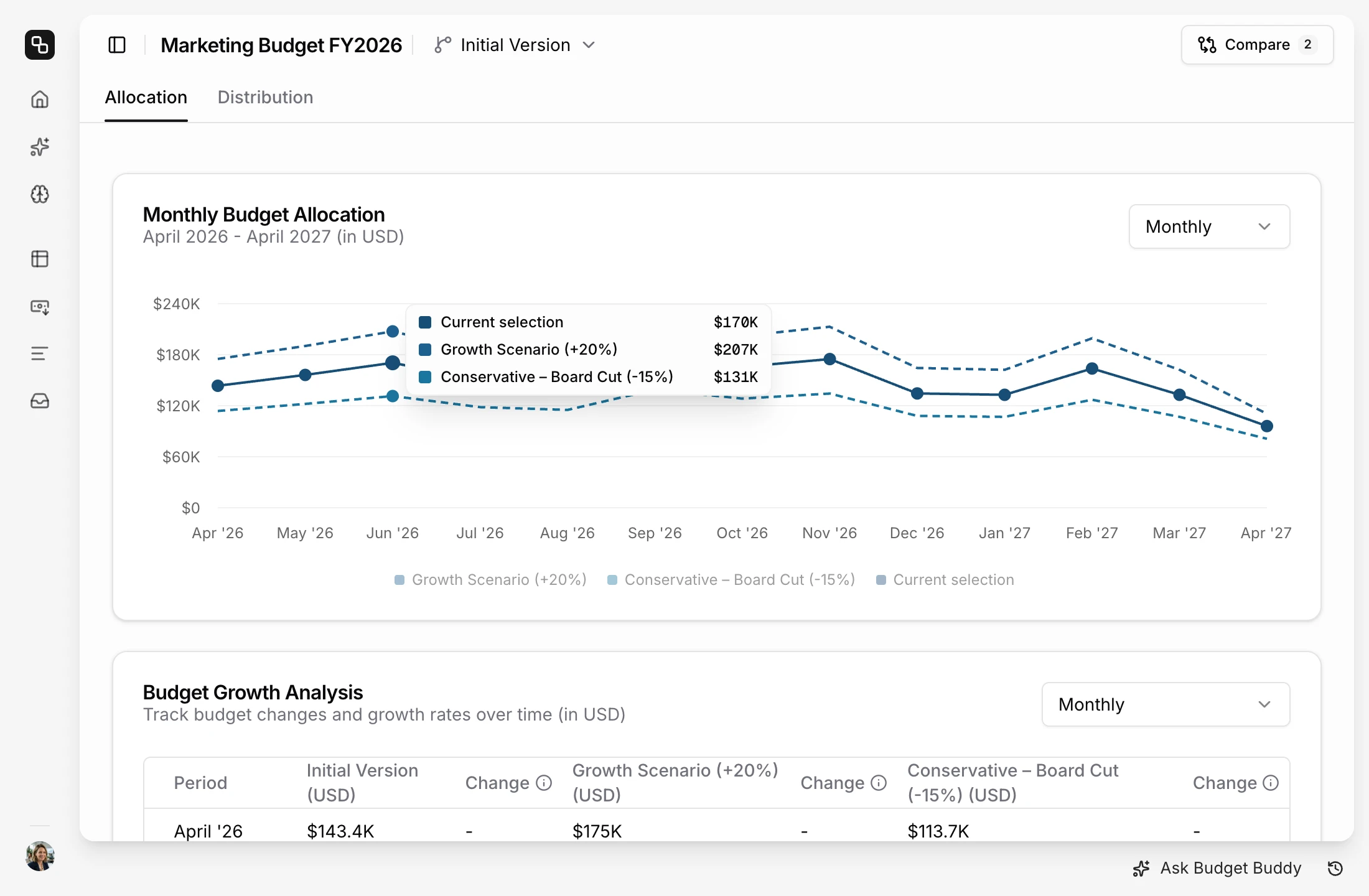
Learn moreKeep a conservative and an aggressive version in one budget. Compare them on the Plans page, then make one active.
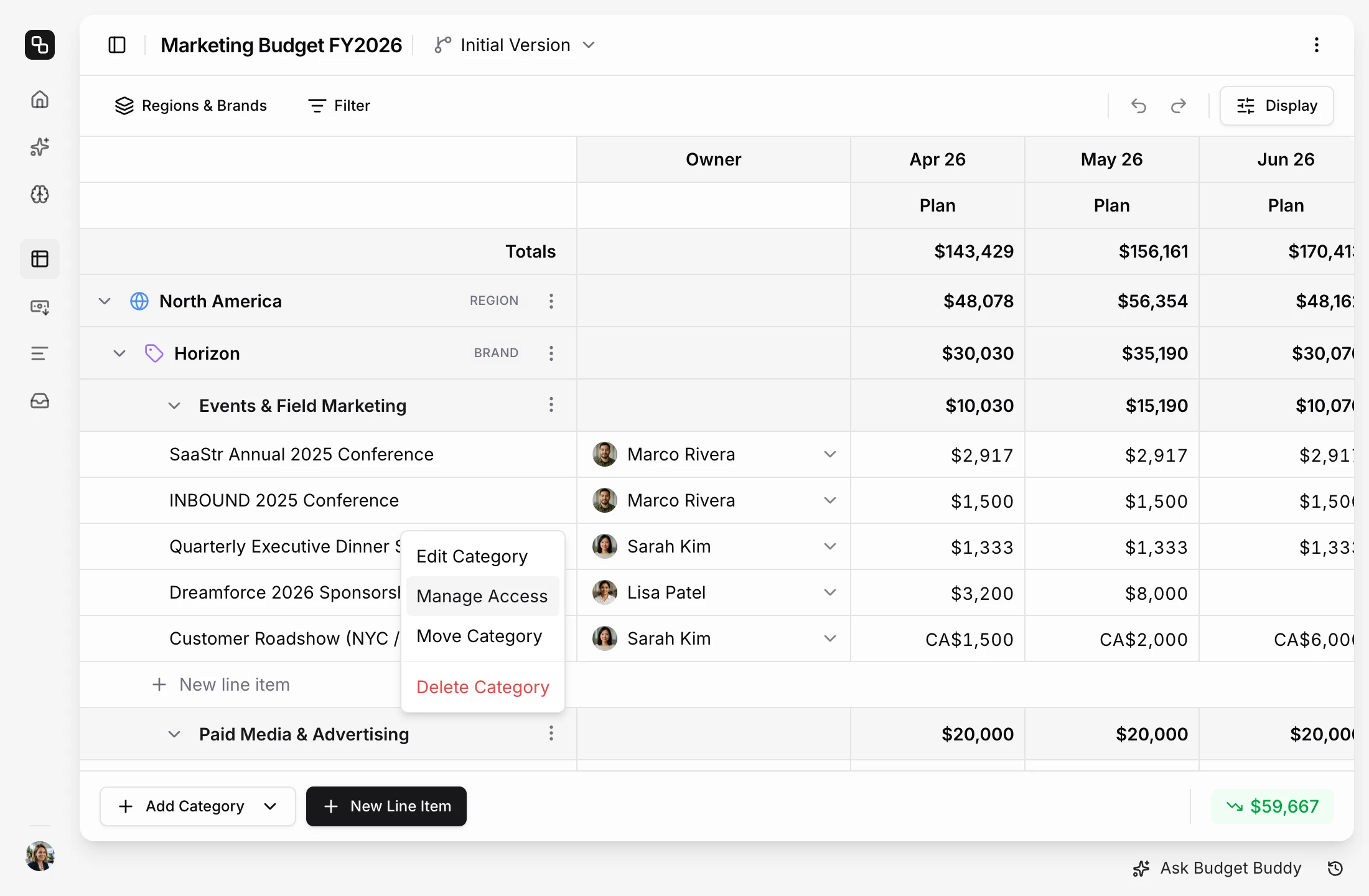
Learn moreSet permissions per category, so each owner edits only their part of the budget. Owners keep their line items and actuals up to date themselves.
Learn moreIntegrations
Connect your marketing stack
Pick a tool to see what it syncs and how to connect it.

Google Sheets
Sync plans and expenses automatically with your finance team.
Slack
Automated expense updates — no more chasing teammates.

Microsoft Teams
Budget reminders and AI Budget Buddy — right inside Teams.

Google Ads
Fetch ad spend in real-time. No manual work required.
Track LinkedIn Ads spend automatically, always up to date.
Meta
Sync Facebook and Instagram ad spend in real-time.
TikTok Ads
Sync TikTok ad spend automatically. Real-time updates.


HubSpot
Track campaign conversions and revenue from your sales pipeline.
Claude
Manage your marketing budget directly in Claude.
Shaped by marketing teams who use it every day
Budget Targets
Plan inside the number you were given. Set a target for the whole budget and a target for each region, brand or master category at the top of it, and the budget editor shows how much of each target is left, month by month. You see a region heading over its target while you plan, not when the invoices arrive. Available on every plan. Learn more about budget targets.
Dashboards
See your marketing budget the way you want to. Tell Budget Buddy what you want to see — plan vs actuals by quarter, planned spend by region each month, two versions side by side — and it builds the dashboard with charts, tables and single numbers. Every widget shows live data from your budget. Learn more about dashboards.
Improved Budget Structure
One of the most requested improvements is here. A budget in Etropo now has up to six levels: two custom levels for brands, divisions, regions or markets, then master categories, categories, line items and expenses. You use only the levels your company needs. With custom levels, one budget holds the whole company: each brand or region is its own section, with its own totals and its own access. Learn more about budget structure.
Expenses
Your actuals now add up from the spend behind them. Record what you spent under any line item — an invoice, a one-off payment, a correction — and the month's actual becomes the sum of those expenses. So the number in the cell is never just a number someone typed: click it and you see exactly what it's made of. Take an expense out and the actual comes down with it.
Why Etropo
Etropo is purpose-built marketing budgeting software
Sheets aren't built for marketing teams. Neither are enterprise finance tools. Etropo is.
- Built for everyone to achieve anything
- Easy to set up, hard to maintain
- Spend data requires input from finance
- Difficult to hide headcount expenses
- Visualization & forecasting requires effort
- Prone to human errors and formula issues
 Purpose-built for marketing
- Designed for finance, not marketing
- Requires implementation & training
- Integrations as premium features
- Complex team setup
- Overkill for SMBs
- Expensive & rigid